Know Where Every Tech Is and What They Cost You Per Hour
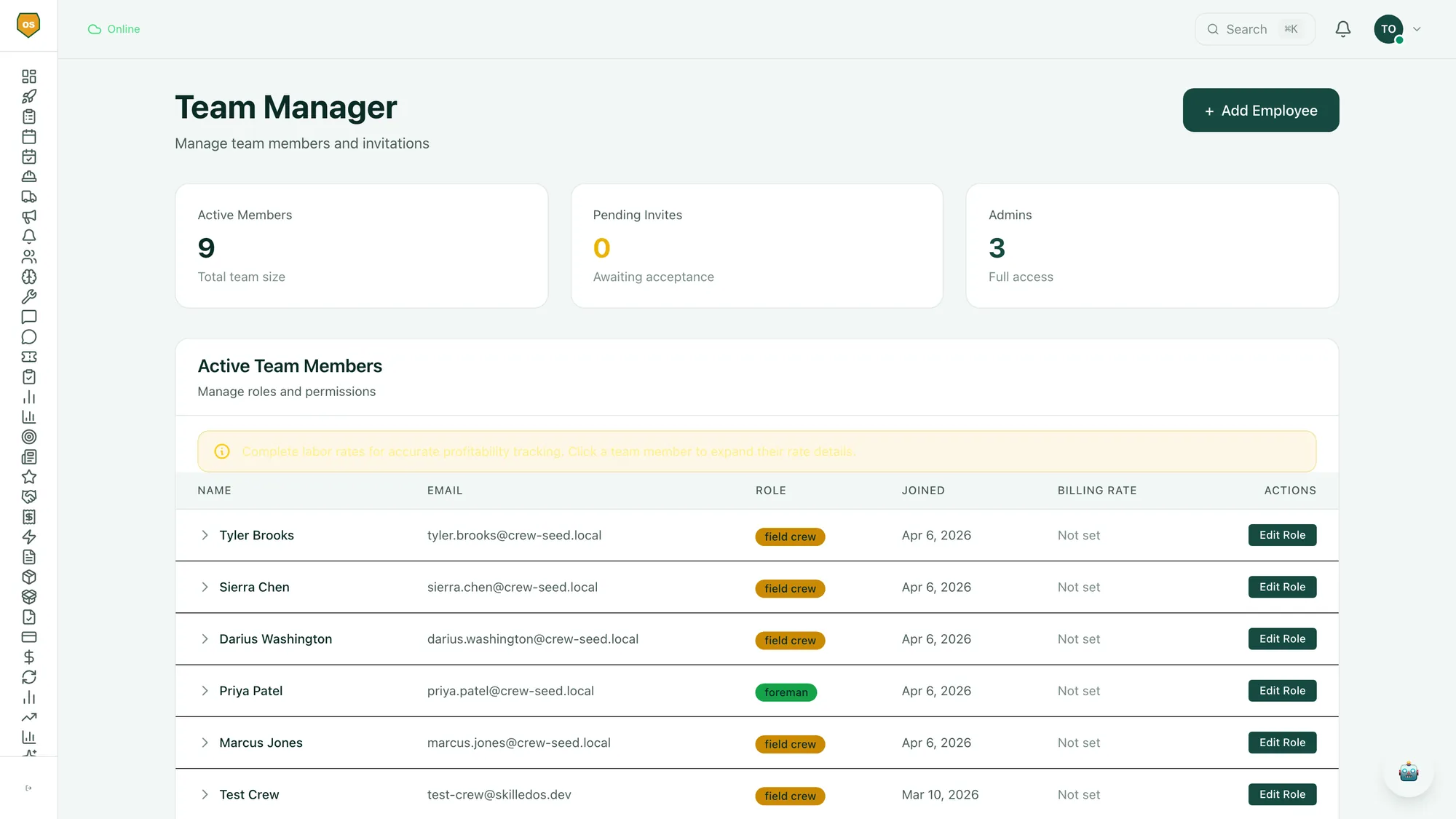
Crew and Team Management in SkilledOS provides 5-level role permissions, real-time GPS tracking, time tracking with fully burdened labor cost calculations, and seamless crew coordination.
How It Works
1. Add Your Team
Add each technician with their skills, certifications, burdened labor rate, and assigned permission level.
2. Track in Real Time
See every tech on a live map. Know who is on-site, who is driving, and who is available for the next job.
3. Measure Performance
Review productivity dashboards showing jobs per day, revenue per tech, average job duration, and labor cost per job.
Key Capabilities
- Real-time GPS tracking shows every tech's location on a live map
- Time tracking with fully burdened labor cost calculations (wages + taxes + benefits + workers comp)
- 5-level role permissions control what each team member can see and do
- Crew productivity metrics show jobs completed, average job duration, and revenue per tech
- Shift scheduling with availability management and time-off requests
- Labor cost per job maps each tech's burdened rate to every job they work
How This Affects Your Profit
Labor is your biggest expense. SkilledOS tracks fully burdened labor rates (wages + taxes + benefits + workers comp) per employee and maps that cost to every job they work. You see the projected profit on each job after real labor costs - not the inflated margin you think you are making.
Common Questions
What does 'fully burdened labor cost' mean?
It is the true cost of having a technician on your payroll: hourly wage plus employer taxes, health insurance, workers comp premiums, vehicle allowance, and any other per-employee overhead. SkilledOS calculates this automatically so you see the real cost per hour, not the wage rate.
What are the 5 permission levels?
Owner, Admin, Foreman, Technician, and Subcontractor. Each level has granular controls over what data they can view, edit, and approve. For example, Technicians see their own schedule and jobs but cannot access financial reports or other techs' pay rates.
Can I track productivity per technician?
Yes. SkilledOS tracks jobs completed, average job duration, revenue generated, callback rate, and customer satisfaction per tech. These metrics feed into the AI scheduling engine so your highest performers get matched to your highest-value jobs.
Related features
Your Next Job Is Already Costing You Money You Can't See.
Start your free 14-day trial. Free guided setup. We help you import your customers and jobs. One onboarding call.